[Day 7] Profile: 來製作個簡單樸實的個人檔案吧!
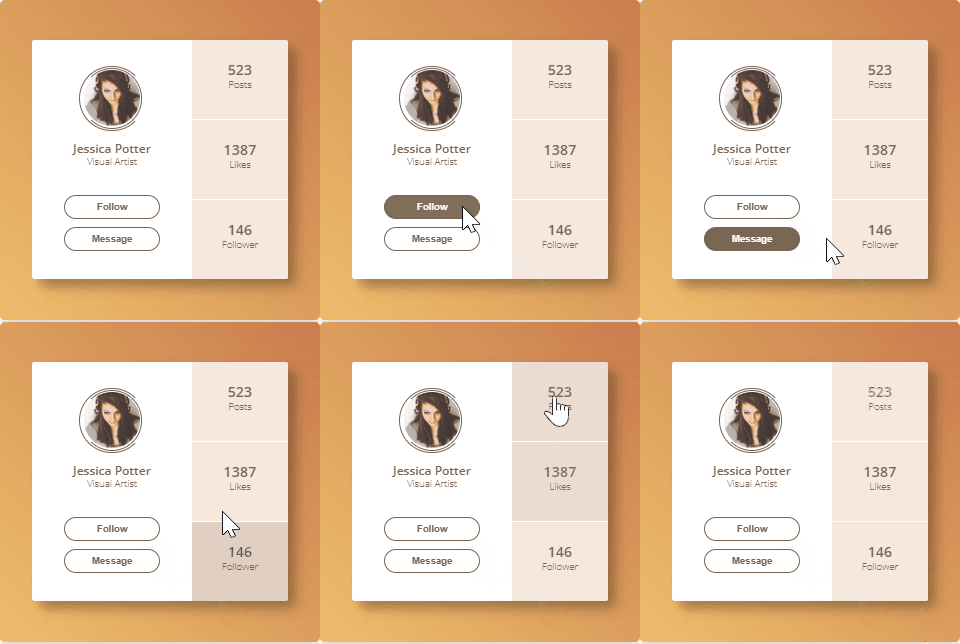
挑戰開始快一周了,今天我們來挑戰Day #6
就來製作一個Thibe的鐵人檔案吧!雷茲狗!
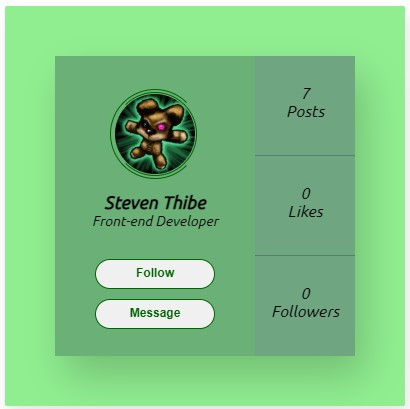
完整作品CodePen: https://codepen.io/stevetanus/pen/JjvbKXR
1. HTML
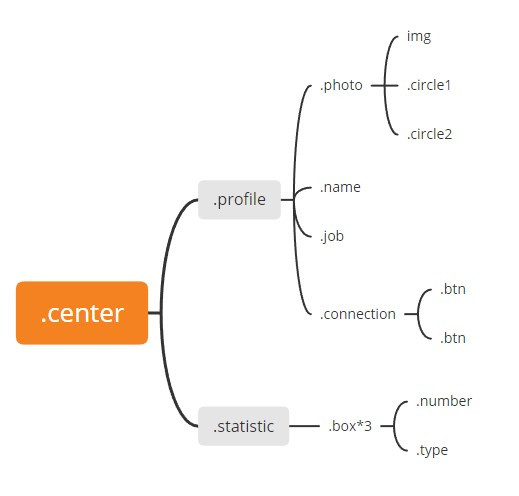
在開始實作之前,可以先畫類似上面的架構圖,我覺得光看圖就蠻清楚的,.center裡面分成兩邊.profile跟.statistic,左邊比較直觀就不多解釋,右邊有三個一樣的.box裡面都有.number跟.type。
- Gitmind繪製架構圖: https://gitmind.com/
2. SCSS(CSS)
.center
.center {
  position: absolute;
  text-align: center;
  box-shadow: 10px 20px 40px 0px rgba(0, 0, 0, 0.2);
  display: flex;
  ...
 }
.center有加入box-shadow和字體置中,並且為子層profile跟.statistic的定位點,display: flex(df)讓子層預設為橫向並排。
.photo
.photo {
    width: 80px;
    margin: 38px auto 0 auto;
    position: relative;
    img{
      width: 100%;
      border-radius: 50%;
    }
    ...
}
.photo寬度為80px,設定為相對位置,img的寬度為100%的父層寬度,border-radius: 50%(brs50%)讓照片變成圓形。
.circle1, .circle2(border旋轉動畫)
.photo{
    .circle1 {
    ...
    border-width: 1px;
          border-style: solid;
          border-color: darkgreen darkgreen darkgreen transparent;
          transition: all 1.5s ease-in-out;
    }
    .circle2 {
    ...
    @extend .circle1;
    border-color: darkgreen transparent darkgreen darkgreen;
    }
    &:hover {
      cursor: pointer;
      .circle1 {
        transform: rotate(360deg);
      }
      .circle2 {
        transform: rotate(-360deg);
      }
    }
}
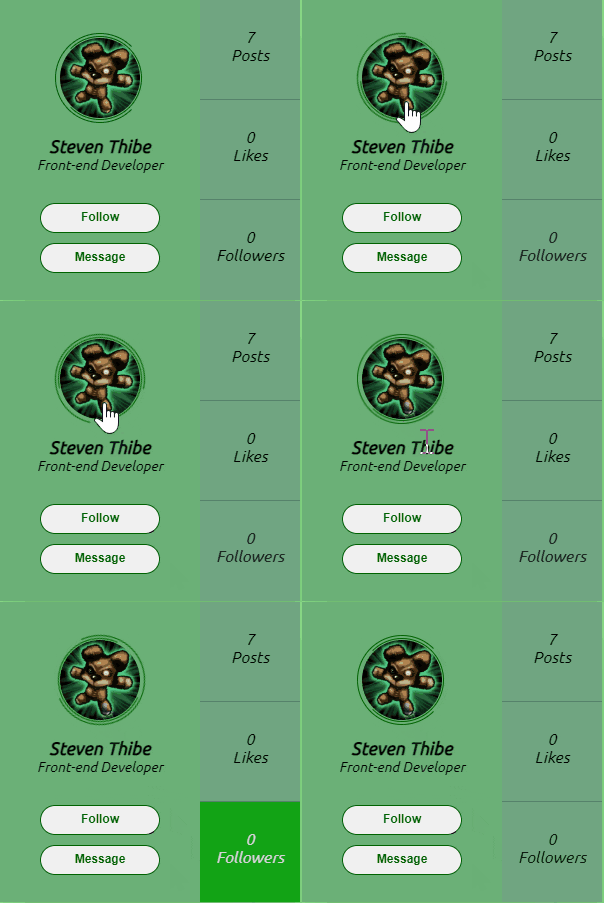
border-color在有四個值時,分別代表上右下左,因此.circle1左側的border是透明色的,.circle2的右側border是透明色的。當.photohover時,.circle1和.circle2分別會正向和逆向旋轉360度;hover離開時,則會往回轉,形成好看的border旋轉動畫。
- border-color: https://www.w3schools.com/cssref/pr_border-color.asp
.connection(.btn在hover時,background-color和color顏色對調)
.connection{
    margin-top: 30px;
    .btn{
      transition: all 0.3s ease-in-out;
      color: darkgreen;
      &:hover{
        background: darkgreen;
        color: #fff;
      }
    }
.btn在hover的時候,會將其原本的background-color(bgc)和color(c)顏色交換,這裡是從白色背景變成深綠色背景,文字顏色則從深綠色變為白色,為常見的按鈕動畫。
.statistic
.statistic {
    .box {
    ...
    border-bottom: 1px solid #2345;
    &:nth-child(3){
      border: none;
    }
}
.box每個都有下面的border,使用.box:nth-child(3)指定消除第三個.box的border。
打包帶走(take away)
HTML
| 待完成目標 | 使用工具 |
|---|---|
| 架構圖 | gitmind、figma |
| CSS |
| 完成目標 | 使用工具 |
|---|---|
| 橫向排版 | display: flex預設為平行 |
| 有缺口的border | border-color可以給予1~4個值,4值時為上右下左 |
| button基本動畫 | background-color與color在hover時對調 |
| 次序選擇器 | &:nth-child(n) 選擇&的第n個 |
後記
我很喜歡今天挑戰的Profile,剛好結合鐵人賽的數據,和自己喜歡的Tibbers(泰貝爾)做成了這個綠色酷酷的個人檔案,大家也可以自己去嘗試做出好看的個人檔案喔!